Model Scan
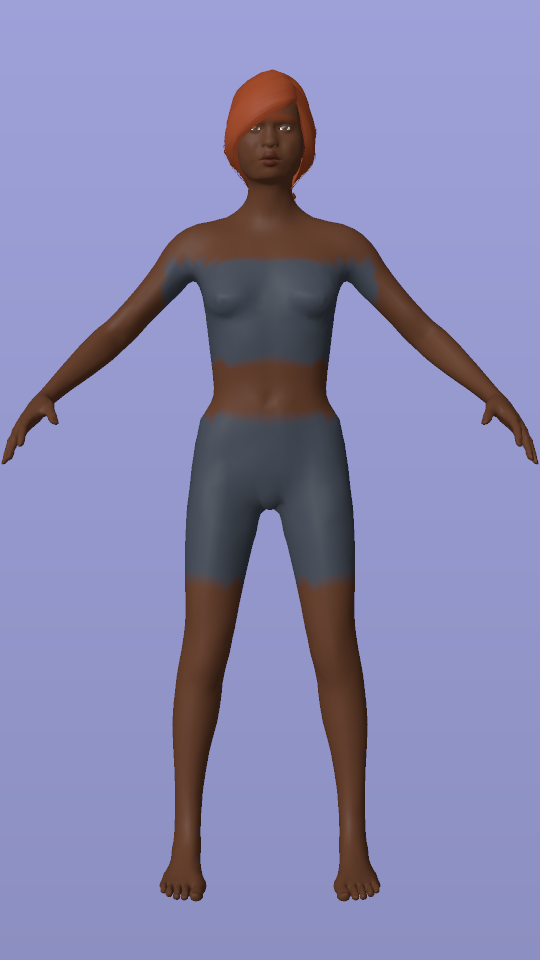
A photo becoming a 3D character, driven by an engine's events through props: landmark groups light up over the photo as meshes while the background dims around the person (from the engine's mask, or a hull around the pose landmarks), the person's pixels fly as a point cloud onto the base model while the camera turns, a shimmer reveals it and a pulse runs across the floor, streamed weights reshape it, and it hands over to orbit. Floating glass controls follow the stage: a style picker and Make 3D, a progress ring with Cancel, a toolbar of views, the clip, Download and Start over, and the error with Try again. Reduced motion crossfades instead. Announces each stage; agents get start, cancel, retry, restart and download.
Example
Installation
lucide-reactthree@0.185.1@react-three/fiber@9.8.0Usage
Reach for it to show a photo turning into a 3D character while an engine works: drive stage, points, masks, model, weights and progress from its events, and give it onStart, onCancel, onRetry, onStartOver and onDownload for its controls.
API reference
ModelScanIntro
| Prop | Type | Default |
|---|---|---|
srcrequired | string | – |
ratiorequired | number | – |
fitrequired | "contain" | "cover" | – |
maskrequired | ModelScanMask | null | – |
personrequired | ModelScanPersonSource | – |
onHandOffrequired | () => void | – |
onDonerequired | () => void | – |
ModelScanLandmarks
| Prop | Type | Default |
|---|---|---|
groupsrequired | readonly ModelScanDrawnGroup[] | – |
ratiorequired | number | – |
ModelScanControls
| Prop | Type | Default |
|---|---|---|
stagerequired | ModelScanStage | – |
readyrequiredThe model has taken the photo's place at `ready`: the toolbar replaces the progress. | boolean | – |
progress | number | – |
statusText | string | – |
error | string | – |
labelsrequired | ModelScanLabels | – |
viewerLabelsrequired | ModelViewerLabels | – |
placementrequired | "overlay" | "below" | – |
styles | readonly ModelScanStyle[] | – |
selectedStyle | string | – |
onStyleChange | (style: string, details: ChangeDetails) => void | – |
start | Press | – |
cancel | Press | – |
retry | Press | – |
startOver | Press | – |
download | Press | – |
handlerequired | ModelViewerHandle | null | – |
viewerrequired | ModelViewerControlsState | null | – |
actions | ReactNode | – |
ModelScan
| Prop | Type | Default |
|---|---|---|
srcrequired | string | – |
altrequiredDescribes the photo, and names the scan. | string | – |
widthThe photo's size in pixels: its ratio sizes the stage until the photo loads, which then gives its own. Without it, the points' `aspect` does, or 3:4. | number | – |
height | number | – |
stagerequired | ModelScanStage | – |
pointsPoints the engine found, as fractions of the original photo, lighting up while detecting: one list (interleaved x, y in a `Float32Array`, or `{ x, y }` objects), or groups of them, `{ source, points, aspect?, edges? }`, each lighting up on its own, in the order the sources arrived, with lines along its `edges`. Points past the photo's edges (landmarks a crop cut off) are kept but not drawn. | ModelScanPoints | – |
masksThe engine's person masks (`{ source?, width, height, data }`, 0–255 confidence per pixel, the photo's aspect): the background dims around the person while detecting, and only the person's pixels fly onto the model. Without one, a hull around the body's 33 pose landmarks stands in. | readonly ModelScanMask[] | – |
modelThe base model (a GLB with morph targets), from the building stage on. | ModelViewerSource | ModelScanModel | – |
weightsMorph target weights from the engine, eased as they stream in: aligned with the target names, or by name. | ModelViewerWeights | – |
scaledWeights`weights` come already multiplied by the GLB's `extras.targetScales`, as the engine may send them. | boolean | – |
targetNamesThe order aligned `weights` follow, when `model` doesn't carry it; the GLB's `extras.targetNames` by default. | readonly string[] | – |
expressionsExpression weights by ARKit name, like a smile at the end. | ModelViewerExpressions | – |
progressFrom 0 to 1 within the stage; leave it out while the engine can't tell. | number | – |
statusTextWhat the engine is doing now, as the progress label; the stage's label by default. | string | – |
errorWhat went wrong, shown and read at once in the error stage. | string | – |
onStartShows the start button over the photo; agents call `start`. | (details: ModelScanEventDetails) => void | – |
onCancelShows Cancel while the scan runs; agents call `cancel`. | (details: ModelScanEventDetails) => void | – |
onRetryShows Try again after an error; agents call `retry`. | (details: ModelScanEventDetails) => void | – |
onStartOverShows Start over on the finished model and after an error; agents call `restart`. | (details: ModelScanEventDetails) => void | – |
onDownloadShows Download on the finished model; agents call `download`. | (details: ModelScanEventDetails) => void | – |
stylesLooks the finished model can take, picked over the photo and the model. | readonly ModelScanStyle[] | – |
selectedStyleThe chosen one of `styles` (`style` stays React's inline style on the root). | string | – |
onStyleChange | (style: string, details: ChangeDetails) => void | – |
controlsWhere the controls go: floating over the stage (`overlay`, the default) or under it (`below`). | ModelScanControlsPlacement | "overlay" |
modelAltDescribes the model once it shows; `labels.model` by default. | string | – |
idleClipThe clip to play when ready, like a wave; the model's first clip by default. | string | – |
aspectRatioThe stage's width over its height; the photo's by default. | number | – |
fitHow the photo fills a stage of another `aspectRatio`: whole (`contain`) or cropped (`cover`). Points follow it. | "contain" | "cover" | "contain" |
viewerMore ModelViewer props for the model: framing, material, floor, summary, labels… | ModelScanViewerProps | – |
actionsMore controls, beside the stage's own in each one. | ReactNode | – |
labels | Partial<ModelScanLabels> | – |
Also takes <div> attributes and render except children.
Other exports
modelScanLabelsisOnPhotopointGroupspointsAspectposeEdgeslandmarkHullmaskImagespersonCellspersonMasksampleMaskuseModelScanFocusmodelScancloudGridcreateCloudshimmerHeightuseModelScanIntrotype ModelScanLabelstype ModelScanDrawnGrouptype ModelScanEdgestype ModelScanPointtype ModelScanPointGrouptype ModelScanPointListtype ModelScanPointstype ModelScanMasktype ModelScanPersonSourcetype ModelScanActiontype ModelScanActionReasontype ModelScanAnnouncementstype ModelScanOptionstype ModelScanStagetype Cloudtype ModelScanIntroPropstype ModelScanControlsPlacementtype ModelScanControlsPropstype ModelScanStyletype ModelScanEventDetailstype ModelScanModeltype ModelScanPropsAccessibility
- The scan is a group named by the photo's alt, busy while it works; the progress over the stage is labelled with the stage and says which step of four it is.
- Each stage is announced, progress at most every tenth and two seconds, and errors at once.
- The floating controls are named buttons, segmented controls and a toolbar with one tab stop for its buttons; icon buttons show their names in tooltips, every control reaches 44px on a touch screen, and their text reads at 4.5:1 over the brightest and darkest photo.
- When the control that had focus goes with the stage, focus moves to the stage's main one: Cancel, Try again or Make 3D.
- Under reduced motion the photo crossfades into the model: no camera flight, no point cloud, the progress stays.
- Once ready, the model is a ModelViewer with its own name, turned by drag and keys.
Agent actions
Agents see the scan by its alt and its stage, and call start, cancel, retry, restart and download; a call its stage doesn't offer fails with why. The ready model takes the viewer's actions.
Runs agent.snapshot() from @ui-sdk/react/agent on the live preview above.